
A few years back, I worked with a team that had a Hadoop cluster sitting in a server room. Ten machines, running day and night, even though the heavy jobs ran for maybe two hours every morning. When a disk failed, someone had to drive to the office. When a job got bigger, someone had to order new hardware and wait weeks.
Google Cloud Dataproc fixes exactly that kind of pain. You get a ready Spark and Hadoop cluster in about 90 seconds, run your job, and delete the cluster when you are done. You pay only for the minutes it was alive.
In this guide, I will explain Dataproc in plain words, show you when it makes sense (and when it does not), and walk you through three real examples you can copy and run.
Last reviewed: November 2026
In this guide:
- What is Google Cloud Dataproc?
- Dataproc’s new name in 2026
- Why use it?
- When to use it (and when not to)
- How to use it
- Example 1: Daily sales report on a cluster
- Example 2: Same job, no cluster (serverless)
- Example 3: Write results straight to BigQuery
- Pricing
- FAQs
What Is Google Cloud Dataproc?
Google Cloud Dataproc is a managed service for running Apache Spark and Apache Hadoop on Google Cloud. Google sets up the machines, installs Spark, connects everything to Cloud Storage and BigQuery, and keeps it patched. You just bring your code and your data.
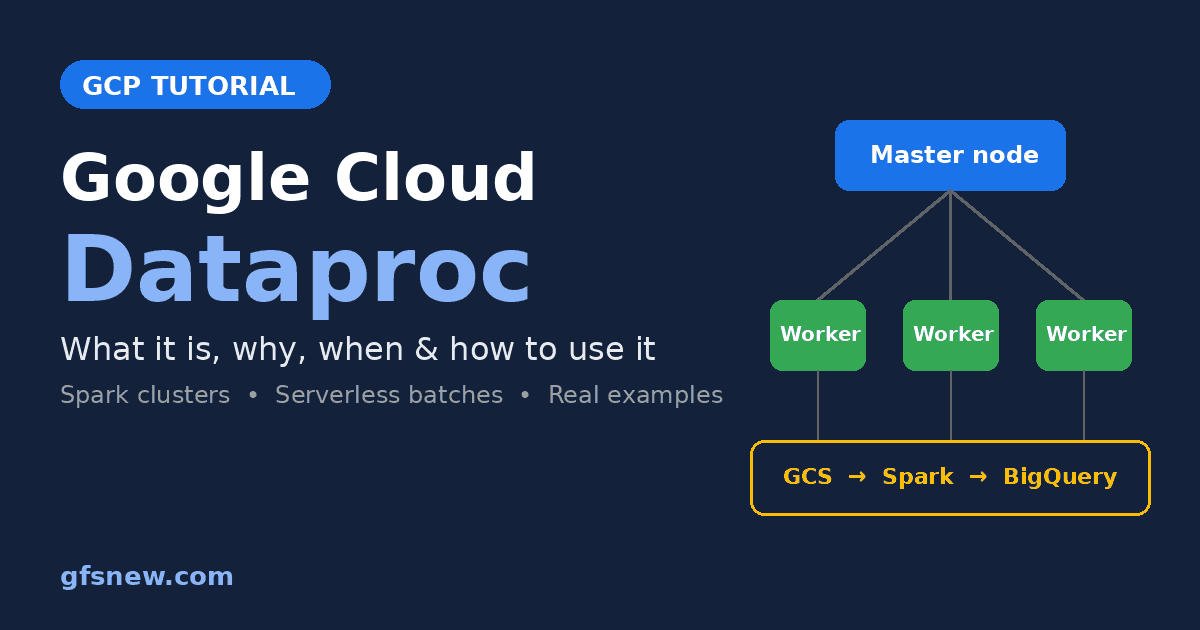
Here is a simple way to picture it. Think of a wedding caterer in your city. You do not buy the big kitchen, the gas stoves or hire forty cooks for the whole year. You call the caterer for one day, they bring everything, cook for a thousand guests, and leave. Dataproc is that caterer for big data. Spark is the cooking method, and the cluster is the temporary kitchen.
A few words you will see again and again:
| Term | Simple meaning | Caterer example |
|---|---|---|
| Cluster | A group of virtual machines working together | The full temporary kitchen |
| Master node | The machine that plans and assigns work | The head chef |
| Worker nodes | Machines that do the actual processing | The cooks |
| Job | One piece of code you run, like a PySpark script | One dish to prepare |
| Batch (serverless) | A job that runs without you creating any cluster | Ordering food without hiring a kitchen at all |
What Is Apache Spark, in One Minute?
Spark is an open-source engine that splits a big data job into small pieces and runs those pieces on many machines at the same time. If one laptop needs ten hours to read a 200 GB file, ten machines running Spark can finish in well under an hour. You write Spark code in Python (PySpark), Scala, Java, R or plain SQL.
Spark itself is free. The hard part was always running it: setting up machines, installing versions that work together, fixing crashes. That hard part is what Google Cloud Dataproc takes off your plate.
Dataproc’s New Name: Managed Service for Apache Spark
Do not get confused if you open the Google Cloud console and cannot find “Dataproc”. In April 2026, Google merged Dataproc and Serverless for Apache Spark under one product name: Managed Service for Apache Spark. It now has two deployment modes:
- Cluster mode: the classic Dataproc. You create a cluster and pay while it is running.
- Serverless mode: you submit a job, Google runs it and cleans up. You pay only while the job runs.
The good news is that nothing broke. The API, the gcloud dataproc commands and the IAM role names are still the same. Most people, job posts and interview questions still say “Dataproc”, so that is the name I use in this guide.
Why Use Google Cloud Dataproc?
- Fast to start: A cluster is usually ready in about 90 seconds. Setting up Hadoop by hand can take days.
- Pay per second: Billing is per second with a one-minute minimum. A 12-minute job costs 12 minutes, not a full hour.
- Reuse your old code: Your existing Spark, Hive or Hadoop jobs run with little or no change. This is the biggest reason companies pick Dataproc.
- Delete when done: Your data lives in Google Cloud Storage, not on the cluster. So you can delete the cluster without losing anything.
- Works with the rest of GCP: Spark can read from Cloud Storage and read or write BigQuery tables out of the box.
- Cheaper machines when it fits: You can add Spot VMs as extra workers for jobs that can survive a machine being taken back.
- A serverless option: If you do not want to think about clusters at all, submit a serverless batch instead.
When to Use Google Cloud Dataproc
Google Cloud Dataproc is a good fit when:
- You are moving an on-premise Hadoop or Spark setup to the cloud.
- Your team already knows PySpark, Spark SQL or Scala.
- You process large files (CSV, JSON, Parquet, logs) every day or every hour.
- You need Spark libraries for machine learning, such as Spark MLlib or XGBoost on Spark.
- You need tools like Hive, Presto, Trino or Flink, which come as optional components.
You probably do not need it when:
- Your data is already in BigQuery and SQL can do the job. BigQuery alone is simpler.
- You are starting a brand-new pipeline and nobody on the team knows Spark. Google Cloud Dataflow or Dataform may suit you better.
- Your file is a few hundred MB. A normal Python script with pandas will finish faster than the cluster takes to start.
Google Cloud Dataproc vs Dataflow vs BigQuery
| Point | Dataproc | Dataflow | BigQuery |
|---|---|---|---|
| Main engine | Apache Spark and Hadoop | Apache Beam | SQL |
| Best for | Existing Spark code, Hadoop migration, Spark ML | New batch and streaming pipelines | Analysis on tables |
| You manage | The cluster size (or nothing, in serverless mode) | Nothing, only the pipeline | Nothing |
| Learning curve | Medium if you know Python | Medium to high | Low |
My rule of thumb: if the words “Spark” or “Hadoop” are already in your project, pick Dataproc. If they are not, start by asking whether BigQuery SQL is enough.
How to Use Google Cloud Dataproc
There are two common ways to run a job:
- On a cluster: Create a cluster, submit one or more jobs, then delete it. Good when you want control over machines, software versions or extra components.
- Serverless batch: Submit your PySpark file and let Google handle everything. Good for most simple scheduled jobs.
You can do both from the console, but I will use the gcloud command line because you can copy, paste and repeat it. Open Cloud Shell so you do not have to install anything.
Step 0: One-Time Setup
Set your project and turn on the APIs. Replace PROJECT_ID with your own project ID, and use a test project while learning.
gcloud config set project PROJECT_ID

gcloud services enable dataproc.googleapis.com compute.googleapis.com \
  storage.googleapis.com bigquery.googleapis.com
Create a bucket for your input files, code and results. Bucket names are unique across the world, so change the name.
gcloud storage buckets create gs://shop-dataproc-demo-2026 --location=asia-south1Dataproc machines use a service account to read and write your data. The default one works for learning. For real projects, create a separate one with only the roles it needs. My Google Cloud service account guide and IAM guide show how.
Example 1: Build a Daily Sales Report on a Dataproc Cluster
Situation: An online store exports all orders to a CSV file every night. The owner wants to see delivered sales by city and category. The file has returned and cancelled orders, and some rows with a missing amount, so it needs cleaning first.
Step 1: Create orders.csv with this sample data. Look at A1003 (returned), A1006 (no amount) and A1008 (cancelled). All three should be left out of the report.
order_id,order_date,city,category,amount,status
A1001,2026-11-01,Delhi,Electronics,24999,DELIVERED
A1002,2026-11-01,Mumbai,Fashion,1899,DELIVERED
A1003,2026-11-01,Delhi,Fashion,1299,RETURNED
A1004,2026-11-02,Pune,Electronics,15999,DELIVERED
A1005,2026-11-02,Mumbai,Grocery,780,DELIVERED
A1006,2026-11-02,Delhi,Grocery,,DELIVERED
A1007,2026-11-03,Pune,Fashion,2499,DELIVERED
A1008,2026-11-03,Mumbai,Electronics,8999,CANCELLED
A1009,2026-11-03,Delhi,Electronics,32999,DELIVERED
A1010,2026-11-03,Pune,Grocery,640,DELIVERED
Step 2: Save this PySpark job as sales_report.py.
import argparse

from pyspark.sql import SparkSession
from pyspark.sql import functions as F


def main():
    parser = argparse.ArgumentParser()
    parser.add_argument("--input", required=True)
    parser.add_argument("--output", required=True)
    args = parser.parse_args()

    spark = SparkSession.builder.appName("daily-sales-report").getOrCreate()

    orders = (
        spark.read.option("header", True)
        .option("inferSchema", True)
        .csv(args.input)
    )

    report = (
        orders.filter(F.col("status") == "DELIVERED")
        .filter(F.col("amount").isNotNull())
        .groupBy("city", "category")
        .agg(
            F.count("order_id").alias("orders"),
            F.sum("amount").alias("total_sales"),
        )
        .orderBy(F.desc("total_sales"))
    )

    report.show(truncate=False)
    report.write.mode("overwrite").option("header", True).csv(args.output)

    spark.stop()


if __name__ == "__main__":
    main()
Read the report part slowly. It keeps only delivered orders, drops rows with no amount, groups by city and category, and adds up the sales. That is the whole business logic.
Tip: Test it on your own laptop first. Run pip install pyspark (it needs Java), then python sales_report.py --input orders.csv --output out/report. I tested this exact script with the sample file, and the result is shown in Step 6. Testing locally is free and catches silly mistakes before you pay for a cluster.
Step 3: Upload the data and the script to your bucket.
gcloud storage cp orders.csv gs://shop-dataproc-demo-2026/input/orders.csv
gcloud storage cp sales_report.py gs://shop-dataproc-demo-2026/code/sales_report.py
Step 4: Create a small cluster. For learning, a single-node cluster is enough. The master and worker run on the same machine, which keeps the cost low.
gcloud dataproc clusters create sales-cluster \
  --region=asia-south1 \
  --single-node \
  --master-machine-type=n2-standard-4 \
  --master-boot-disk-size=50GB \
  --image-version=2.3-debian12 \
  --max-idle=30m
Please do not skip --max-idle=30m. It tells Google to delete the cluster automatically if no job runs for 30 minutes. It has saved me from a surprise bill more than once.
Step 5: Submit the job. Everything after the lone -- is passed to your Python script.
gcloud dataproc jobs submit pyspark \
  gs://shop-dataproc-demo-2026/code/sales_report.py \
  --cluster=sales-cluster \
  --region=asia-south1 \
  -- --input=gs://shop-dataproc-demo-2026/input/orders.csv \
     --output=gs://shop-dataproc-demo-2026/output/sales_report
Step 6: Check the result. You will see the same table in the job output, and the CSV file in your bucket.
gcloud storage cat gs://shop-dataproc-demo-2026/output/sales_report/part-*.csvcity,category,orders,total_sales
Delhi,Electronics,2,57998
Pune,Electronics,1,15999
Pune,Fashion,1,2499
Mumbai,Fashion,1,1899
Mumbai,Grocery,1,780
Pune,Grocery,1,640Notice what is missing: no Delhi Fashion row (A1003 was returned), no Delhi Grocery row (A1006 had no amount) and no Mumbai Electronics row (A1008 was cancelled). The cleaning worked.
Step 7: Delete the cluster when you are done. Your files in the bucket stay safe.
gcloud dataproc clusters delete sales-cluster --region=asia-south1 --quietIn real projects, people often use this “create, run, delete” pattern every night. It is called an ephemeral cluster. You can schedule the three steps with Google Cloud Workflows or Cloud Composer.
Example 2: Run the Same Job with No Cluster (Serverless)
Situation: The report from Example 1 works. Now the owner asks, “Why should I create and delete a cluster every night? Can’t Google just run it?” Yes, it can.
Step 1: Serverless jobs run on your VPC subnet, and that subnet must have Private Google Access turned on. Turn it on once for the default subnet:
gcloud compute networks subnets update default \
  --region=asia-south1 \
  --enable-private-ip-google-access
Step 2: Submit the same script as a batch. Look closely: no cluster name anywhere.
gcloud dataproc batches submit pyspark \
  gs://shop-dataproc-demo-2026/code/sales_report.py \
  --region=asia-south1 \
  -- --input=gs://shop-dataproc-demo-2026/input/orders.csv \
     --output=gs://shop-dataproc-demo-2026/output/sales_report_serverless
Step 3: Check the status. It usually takes a minute or so to start.
gcloud dataproc batches list --region=asia-south1When the state shows SUCCEEDED, the output is in the new folder. There is nothing to delete. Google removes the resources after the job ends.
Cluster or Serverless: Which One Should You Pick?
| Question | Cluster | Serverless |
|---|---|---|
| Do you need Hive, Trino, Flink or custom software? | Yes, use a cluster | No |
| Do you run many jobs back to back all day? | A running cluster can be cheaper | Fine too |
| Do you want zero setup and zero cleanup? | No | Yes |
| Billing based on | How long the cluster is alive | How long the job runs |
For a beginner with one or two scheduled jobs, I would start with serverless. Move to clusters when you hit a real need for them.
Example 3: Write the Spark Results Straight to BigQuery
Situation: A CSV file in a bucket is fine, but the business team wants a Looker Studio dashboard. Dashboards read best from BigQuery tables, so let us write the report there directly.
Step 1: Create a dataset in the same region.
bq mk --location=asia-south1 --dataset PROJECT_ID:shopStep 2: In sales_report.py, replace the line that writes the CSV file with these lines:
    (
        report.write.format("bigquery")
        .option("writeMethod", "direct")
        .mode("overwrite")
        .save(args.output)
    )
Step 3: Upload the changed file and submit it as a serverless batch. This time --output is a table name, not a folder.
gcloud storage cp sales_report.py gs://shop-dataproc-demo-2026/code/sales_report.py

gcloud dataproc batches submit pyspark \
  gs://shop-dataproc-demo-2026/code/sales_report.py \
  --region=asia-south1 \
  -- --input=gs://shop-dataproc-demo-2026/input/orders.csv \
     --output=PROJECT_ID.shop.sales_report
Step 4: Query the new table.
bq query --use_legacy_sql=false \
  'SELECT city, SUM(total_sales) AS sales
   FROM `PROJECT_ID.shop.sales_report`
   GROUP BY city
   ORDER BY sales DESC'
With the sample data, Delhi comes first with 57,998, then Pune with 19,138 and Mumbai with 2,679. Connect Looker Studio to this table and the owner has a daily dashboard.
The Spark BigQuery connector comes ready in serverless runtimes, so you do not need to add any JAR file. The service account running the job does need permission to write to the dataset.
Real-Time Google Cloud Dataproc Use Cases
These are the kinds of jobs I have seen Dataproc used for in real companies:
| Industry | What the job does | Why Dataproc |
|---|---|---|
| Banking | Moves years of old Hadoop jobs for transaction reports to the cloud | Existing Spark and Hive code runs with few changes |
| Telecom | Processes billions of call records every night for billing | Huge files, a fixed nightly window, ephemeral clusters |
| E-commerce | Builds daily product recommendations with Spark MLlib | Spark ML libraries are already installed |
| Food delivery | Cleans app event logs before loading them into BigQuery | PySpark is easy for the data team, and Spot VMs cut cost |
| Insurance | Reruns old claims through a new fraud check | Spin up a large cluster for one day, then delete it |
Google Cloud Dataproc Pricing
Pricing depends on the mode you choose. Always check the official pricing page for your region, because rates change from region to region.
Cluster mode: You pay a Dataproc fee of $0.010 per vCPU per hour, plus the normal Compute Engine price for the machines and disks. Billing is per second, with a one-minute minimum.
Google’s own example: a cluster with 24 vCPUs that runs for 2 hours has a Dataproc fee of 24 × 2 × $0.01 = $0.48. The VM cost is added on top, and that is usually the bigger part of the bill.
Serverless mode: You pay in Data Compute Units (DCUs). Each vCPU counts as 0.6 DCU, and each GB of memory (up to 8 GB per vCPU) counts as 0.1 DCU. The standard tier list price is about $0.06 per DCU per hour in US regions, billed per second with a one-minute minimum. By default, each batch uses at least 12 DCUs while it runs. There are no separate VM or disk charges.
In both modes, Cloud Storage, BigQuery and network charges are billed separately.
One warning from Google’s docs that people miss: a cluster in an error state still costs money, because its VMs are still running. A broken cluster is not a free cluster. Delete it.
Google Cloud Dataproc Mistakes to Avoid
- Forgetting a running cluster: Always use
--max-idle, and set a billing alert in your project. - Storing data on the cluster disks (HDFS): Keep data in Cloud Storage. Then deleting the cluster is safe.
- Using a huge cluster to “be safe”: Start small. Check the Spark UI to see where time is spent, then scale.
- Mixing regions: Keep the cluster, the bucket and the BigQuery dataset in the same region to avoid slow and costly network transfers.
- Using Spot VMs for every node: Spot machines can be taken back at any time. Use them only as secondary workers, never as the master.
- Using Spark for tiny files: If pandas or a BigQuery query can do it, keep it simple.
Conclusion
Google Cloud Dataproc gives you Spark and Hadoop without the headache of running servers. Use a cluster when you need control or extra tools, and use serverless batches when you just want the job to run. In both cases, your data stays in Cloud Storage or BigQuery, and you pay only for the time you use.
My suggestion: run Example 1 on your laptop today, since it costs nothing. Then try Example 2 in a test project and watch how little you have to manage. For deeper details, read the official Dataproc documentation. If you get stuck on any step, leave a comment below and I will help.
FAQs
Q1: What is Google Cloud Dataproc used for?
It is used to run Apache Spark and Hadoop jobs on Google Cloud, such as cleaning large files, building reports, moving old Hadoop workloads to the cloud and training Spark ML models.
Q2: Is Google Cloud Dataproc free?
No. In cluster mode you pay $0.010 per vCPU per hour plus the VM cost. In serverless mode you pay for DCUs while the job runs. You can test PySpark code on your own laptop for free.
Q3: Is Dataproc the same as Managed Service for Apache Spark?
Yes. In 2026 Google renamed Dataproc and Serverless for Apache Spark to Managed Service for Apache Spark. The gcloud dataproc commands, API and IAM roles did not change.
Q4: What is the difference between Dataproc and Dataflow?
Dataproc runs Spark and Hadoop. Dataflow runs Apache Beam pipelines. Choose Dataproc if you already have Spark code, and Dataflow for new managed batch or streaming pipelines.
Q5: Do I need to know Java or Scala for Dataproc?
No. Python with PySpark is the most common choice today. You can also use Spark SQL if you prefer SQL.
Q6: Does deleting a Dataproc cluster delete my data?
Not if your data is in Cloud Storage or BigQuery, which is the recommended setup. Only data saved on the cluster’s own disks is lost.