
A few years ago I worked with a team whose payments database lived on one big SQL Server box. Every festival sale we would add more RAM, buy a bigger machine and pray. The day we hit the limit of the biggest machine money could buy, someone asked the scary question: “Now what? Do we shard it by hand?” That is exactly the problem Cloud Spanner was built to solve.
In this tutorial I will explain Cloud Spanner in plain words: what it is, what it is used for, when you should (and should not) use it, how to set it up for free, and how to use it with a real-time example of a UPI-style wallet app. Every command and code block here is copy-paste ready.
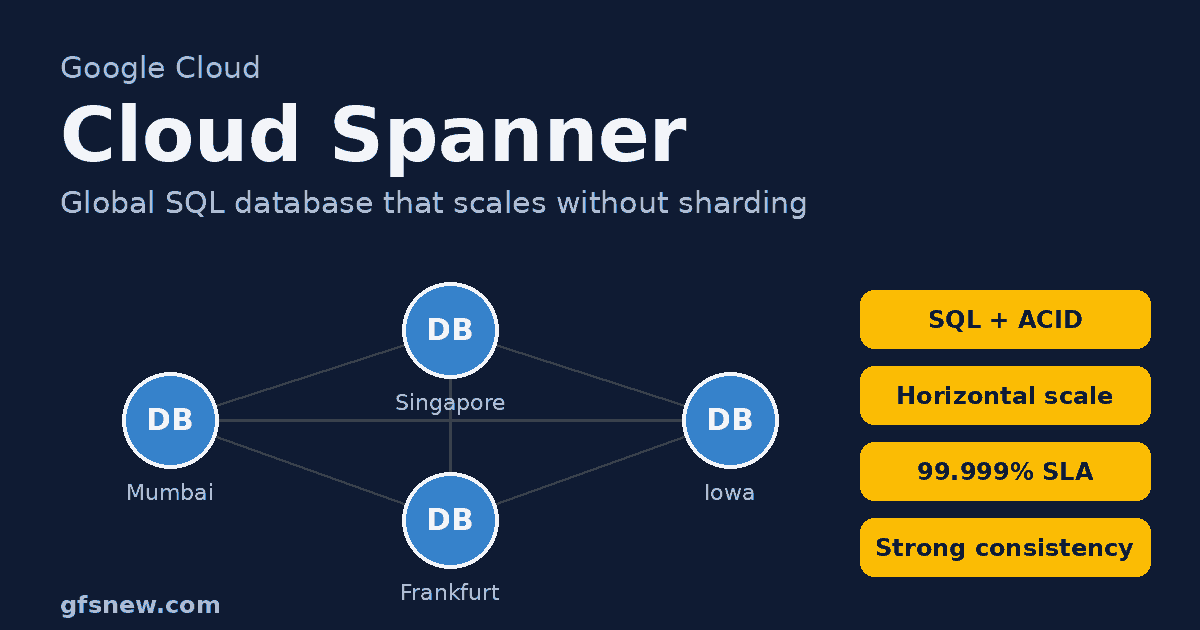
Table of Contents
Table of Contents
What Is Cloud Spanner?
Cloud Spanner (now often called just Spanner) is a fully managed, globally distributed relational database on Google Cloud Platform (GCP). It gives you two things that used to be impossible to get together:
- The power of a SQL database – tables, schemas, primary keys, joins, indexes and full ACID transactions.
- The scale of NoSQL – it grows horizontally across many servers (and even many continents) without you sharding anything by hand.
Google first built Spanner for its own products, published a famous research paper about it in 2012, and later opened it to everyone as Cloud Spanner. You can write queries in GoogleSQL or in a PostgreSQL dialect, so most of what you know from our RDBMS and SELECT statement guides works here too.
Simple definition: Cloud Spanner is a SQL database that behaves like one single database to your app, but quietly runs on many machines in many places, stays strongly consistent, and can be available 99.999% of the time.
A simple real-life comparison
Think of a normal database as a single bank branch. When too many customers arrive, the queue gets long and you can only make the building bigger. Cloud Spanner is like a bank with branches in every city that all share one live ledger. You can walk into any branch, your balance is always the same everywhere, and if one branch closes for repairs the others keep serving you.
Key features of Cloud Spanner
| Feature | What it means for you |
|---|---|
| Relational + SQL | Tables, joins, secondary indexes and ACID transactions, in GoogleSQL or PostgreSQL. |
| Horizontal scaling | Add compute and Spanner spreads your data across more servers automatically. |
| External consistency | Every read sees the latest committed data, even across regions. |
| High availability | Up to 99.999% SLA for multi-region and 99.99% for regional instances. |
| Fully managed | No patching, no replication setup, no manual failover. |
| Modern extras | Spanner Graph, vector search and full-text search in the higher editions. |
How Cloud Spanner Works
You don’t need to understand every internal detail to use Cloud Spanner, but knowing these five ideas will save you from most beginner mistakes:
- Instance – the pool of compute you pay for. You size it in processing units (minimum 100) or nodes (1 node = 1,000 processing units). One instance can hold many databases.
- Instance configuration – where your data lives: regional (for example
regional-asia-south1, Mumbai), dual-region or multi-region (copies on several continents). - Splits – Spanner sorts every table by its primary key and cuts it into ranges called splits. Busy or large splits are moved to different servers automatically. This is how it scales without manual sharding.
- Replicas and Paxos – each split has several copies in different zones or regions. A write is committed only after a majority of replicas agree, so losing one zone loses no data.
- TrueTime – Google’s clock system based on atomic clocks and GPS. It gives every transaction a globally meaningful timestamp, which is how Cloud Spanner stays strongly consistent across the world.
The big lesson from point 3: your primary key decides how data is spread. A key that always increases (1, 2, 3… or a timestamp) sends every new row to the same split and creates a “hotspot”. We will fix that in the example below with UUID keys.
Spanner editions
| Edition | Best for | Locations |
|---|---|---|
| Standard | Most regional apps, core SQL features | Regional |
| Enterprise | Adds Spanner Graph, vector and full-text search, more performance features | Regional |
| Enterprise Plus | Mission-critical global systems, 99.999% SLA | Regional, dual-region and multi-region |
7 Uses of Cloud Spanner
Cloud Spanner shines when an application needs relational data, strong consistency and very large or unpredictable scale at the same time. These are the seven places I see it used most:
- Payments and digital wallets – UPI-style transfers, wallet balances and ledgers where a rupee can never be counted twice.
- Banking and fintech core systems – accounts, loans and trading records that must be correct and always online.
- Online gaming – player profiles, inventories, in-game purchases and leaderboards for millions of players across regions.
- E-commerce at sale-day scale – carts, orders and stock counts during flash sales, where overselling is not acceptable.
- Global SaaS products – one database serving customers in India, Europe and the US with low latency and the same data.
- Supply chain and logistics – shipments, warehouse stock and tracking events updated from many places at once.
- Telecom and ad-tech – subscriber data, usage metering and campaign budgets with huge write volumes.
When to Use Cloud Spanner (and When Not To)
✅ Use Cloud Spanner when:
- Your data is relational and you need ACID transactions (money, stock, bookings).
- You have outgrown a single machine, or you expect to – think terabytes of data and thousands of writes per second.
- Users write data from several regions and must all see the same, latest values.
- Downtime is very expensive and you want 99.99%–99.999% availability without building it yourself.
- You are tired of manual sharding, replica lag and failover scripts.
❌ Choose something else when:
- Your app is small or medium and lives in one region → Google Cloud SQL is simpler and much cheaper.
- You need a real-time NoSQL backend for a mobile app → Firestore.
- You want analytics and reports on billions of rows → BigQuery.
- You store time-series or IoT data with massive writes and simple key lookups → Bigtable.
- Your budget is close to zero for production – Spanner is one of the more expensive GCP databases.
Cloud Spanner vs Cloud SQL vs Firestore vs BigQuery vs Bigtable
| Service | Type | Best for | Scale |
|---|---|---|---|
| Cloud Spanner | Distributed relational SQL | Global payments, gaming, large OLTP | Practically unlimited, multi-region |
| Cloud SQL | MySQL / PostgreSQL / SQL Server | Normal app backends | Up to a few TB, one region |
| Firestore | NoSQL documents | Mobile and web apps, real-time sync | Large, automatic |
| BigQuery | Data warehouse (OLAP) | Analytics and dashboards | Petabytes |
| Bigtable | Wide-column NoSQL | Time-series, IoT, heavy writes | Petabytes |
How to Set Up Cloud Spanner (Free Trial)
Good news for learners: Google offers a 90-day Cloud Spanner free trial instance with up to 10 GB of storage. It is available to new and existing Google Cloud customers, you only need billing enabled on the project, and you are not charged unless you upgrade it to a paid instance. It is meant for learning, not production, and it can only be created in a regional configuration.
Option A: Set up from the Google Cloud console
- Open the Google Cloud console and select (or create) a project with billing enabled.
- Search for Spanner in the top search bar and open it.
- Click Start a free trial (or Create a free instance).
- Enter an instance name such as
paykaro-instance. - Choose a region close to your users, for example asia-south1 (Mumbai).
- Click Create free instance. Spanner also creates a sample e-commerce database you can explore.
Option B: Set up with gcloud CLI
# 1. Point gcloud at your project and enable the API
gcloud config set project my-project
gcloud services enable spanner.googleapis.com

# 2. Create a 90-day free trial instance in Mumbai
gcloud spanner instances create paykaro-instance \
  --instance-type=free-instance \
  --config=regional-asia-south1 \
  --description="PayKaro wallet"

# (Paid alternative for production - smallest size)
# gcloud spanner instances create paykaro-instance \
#   --config=regional-asia-south1 --description="PayKaro wallet" \
#   --edition=STANDARD --processing-units=100
Option C: Practise offline with the Spanner emulator
If you just want to play with code, the local emulator costs nothing and needs no billing. It is not a full copy of production behaviour, but it is perfect for development and unit tests.
gcloud emulators spanner start

# In a new terminal, point clients at the emulator
export SPANNER_EMULATOR_HOST=localhost:9010
gcloud config configurations create emulator
gcloud config set auth/disable_credentials true
gcloud config set project my-project
gcloud config set api_endpoint_overrides/spanner http://localhost:9020/
gcloud spanner instances create paykaro-instance \
  --config=emulator-config --description="Local test" --nodes=1
How to Use Cloud Spanner: Real-Time Industry Example
Business scenario: “PayKaro” is a fintech startup in Bengaluru with a UPI-style wallet app. Users add money, send money to friends and pay shops. During Diwali and IPL season, traffic jumps 20 times in a few hours. Their old single-server database slowed down at exactly the wrong moment, and once a retry bug almost debited a user twice. The team needs:
- Correct balances, always – a transfer must debit and credit together or not at all.
- Scaling up for festival spikes and scaling back down afterwards, without downtime.
- Room to expand to the Middle East later with the same database.
That is a textbook Cloud Spanner use case. Here is the architecture we will build:
Android App  ──►  Cloud Run API (Python)  ──►  Cloud Spanner (paykaro-instance / wallet-db)
 (send money)        (paykaro-api)                Customers ─┬─ Wallets (interleaved)
                                                   Transfers ─┘
Step 1: Design the schema
Save this as schema.sql. Notice three Spanner-specific choices: UUID primary keys (no hotspots), an interleaved Wallets table stored physically next to its customer, and commit timestamps filled in by Spanner itself.
CREATE TABLE Customers (
  CustomerId STRING(36) NOT NULL DEFAULT (GENERATE_UUID()),
  Name       STRING(100) NOT NULL,
  Phone      STRING(15)  NOT NULL,
  CreatedAt  TIMESTAMP   NOT NULL OPTIONS (allow_commit_timestamp = true)
) PRIMARY KEY (CustomerId);

CREATE UNIQUE INDEX CustomersByPhone ON Customers(Phone);

CREATE TABLE Wallets (
  CustomerId STRING(36) NOT NULL,
  WalletId   STRING(36) NOT NULL DEFAULT (GENERATE_UUID()),
  Balance    NUMERIC    NOT NULL,
  Currency   STRING(3)  NOT NULL,
  UpdatedAt  TIMESTAMP  OPTIONS (allow_commit_timestamp = true)
) PRIMARY KEY (CustomerId, WalletId),
  INTERLEAVE IN PARENT Customers ON DELETE CASCADE;

CREATE TABLE Transfers (
  TransferId     STRING(36) NOT NULL DEFAULT (GENERATE_UUID()),
  FromCustomerId STRING(36) NOT NULL,
  FromWalletId   STRING(36) NOT NULL,
  ToCustomerId   STRING(36) NOT NULL,
  ToWalletId     STRING(36) NOT NULL,
  Amount         NUMERIC    NOT NULL,
  Status         STRING(20) NOT NULL,
  CreatedAt      TIMESTAMP  NOT NULL OPTIONS (allow_commit_timestamp = true)
) PRIMARY KEY (TransferId);

CREATE INDEX TransfersByFromCustomer ON Transfers(FromCustomerId, CreatedAt DESC);
If you are wondering why we split customers, wallets and transfers into separate tables, our post on normalization in SQL explains the idea in detail.
Step 2: Create the database with this schema
gcloud spanner databases create wallet-db \
  --instance=paykaro-instance \
  --ddl-file=schema.sql
In the console you can also open Spanner → paykaro-instance → wallet-db → Spanner Studio and paste the same DDL into the query editor.
Step 3: Insert sample data
INSERT INTO Customers (CustomerId, Name, Phone, CreatedAt) VALUES
  ('c-ravi',  'Ravi Kumar',  '9876500001', PENDING_COMMIT_TIMESTAMP()),
  ('c-priya', 'Priya Shah',  '9876500002', PENDING_COMMIT_TIMESTAMP());

INSERT INTO Wallets (CustomerId, WalletId, Balance, Currency, UpdatedAt) VALUES
  ('c-ravi',  'w-ravi',  NUMERIC '5000.00', 'INR', PENDING_COMMIT_TIMESTAMP()),
  ('c-priya', 'w-priya', NUMERIC '1200.00', 'INR', PENDING_COMMIT_TIMESTAMP());
I used readable IDs like c-ravi only so the example is easy to follow. In the real app, let Spanner fill them with GENERATE_UUID().
Step 4: Write the money-transfer API
main.py – a small Flask API using the official google-cloud-spanner Python client. The heart of it is run_in_transaction: everything inside runs as one ACID transaction, and Spanner automatically retries it if it conflicts with another transfer.
import os
from decimal import Decimal
from flask import Flask, request, jsonify
from google.cloud import spanner
from google.cloud.spanner_v1 import param_types

app = Flask(__name__)
client = spanner.Client()
database = client.instance(os.environ["INSTANCE_ID"]).database(os.environ["DATABASE_ID"])

TYPES = {"c": param_types.STRING, "w": param_types.STRING, "amt": param_types.NUMERIC}


class TransferError(Exception):
    pass


def do_transfer(txn, src_c, src_w, dst_c, dst_w, amount):
    rows = list(txn.execute_sql(
        "SELECT Balance FROM Wallets WHERE CustomerId = @c AND WalletId = @w",
        params={"c": src_c, "w": src_w},
        param_types={"c": param_types.STRING, "w": param_types.STRING}))
    if not rows:
        raise TransferError("Sender wallet not found")
    if rows[0][0] < amount:
        raise TransferError("Insufficient balance")

    txn.execute_update(
        """UPDATE Wallets SET Balance = Balance - @amt, UpdatedAt = PENDING_COMMIT_TIMESTAMP()
           WHERE CustomerId = @c AND WalletId = @w""",
        params={"c": src_c, "w": src_w, "amt": amount}, param_types=TYPES)

    credited = txn.execute_update(
        """UPDATE Wallets SET Balance = Balance + @amt, UpdatedAt = PENDING_COMMIT_TIMESTAMP()
           WHERE CustomerId = @c AND WalletId = @w""",
        params={"c": dst_c, "w": dst_w, "amt": amount}, param_types=TYPES)
    if credited != 1:
        raise TransferError("Receiver wallet not found")   # whole transaction rolls back

    txn.execute_update(
        """INSERT INTO Transfers (FromCustomerId, FromWalletId, ToCustomerId, ToWalletId,
                                  Amount, Status, CreatedAt)
           VALUES (@fc, @fw, @tc, @tw, @amt, 'SUCCESS', PENDING_COMMIT_TIMESTAMP())""",
        params={"fc": src_c, "fw": src_w, "tc": dst_c, "tw": dst_w, "amt": amount},
        param_types={"fc": param_types.STRING, "fw": param_types.STRING,
                     "tc": param_types.STRING, "tw": param_types.STRING,
                     "amt": param_types.NUMERIC})


@app.post("/transfer")
def transfer():
    d = request.get_json()
    amount = Decimal(str(d["amount"]))
    if amount <= 0:
        return jsonify({"error": "Amount must be positive"}), 400
    try:
        database.run_in_transaction(do_transfer, d["from_customer"], d["from_wallet"],
                                    d["to_customer"], d["to_wallet"], amount)
    except TransferError as e:
        return jsonify({"status": "FAILED", "reason": str(e)}), 400
    return jsonify({"status": "SUCCESS", "amount": str(amount)}), 201


@app.get("/history/<customer_id>")
def history(customer_id):
    # Read-only snapshot: no locks, so it never slows down live transfers
    with database.snapshot() as snap:
        rows = snap.execute_sql(
            """SELECT TransferId, ToCustomerId, Amount, Status, CreatedAt
               FROM Transfers@{FORCE_INDEX=TransfersByFromCustomer}
               WHERE FromCustomerId = @c ORDER BY CreatedAt DESC LIMIT 20""",
            params={"c": customer_id}, param_types={"c": param_types.STRING})
        return jsonify([{"id": r[0], "to": r[1], "amount": str(r[2]),
                         "status": r[3], "at": r[4].isoformat()} for r in rows])
requirements.txt
flask
gunicorn
google-cloud-spanner
Why is this safe? If two transfers try to spend Ravi’s last ₹500 at the same moment, Spanner’s locking makes one of them wait or retry, and the balance check runs again on fresh data. The debit, the credit and the history row are committed together, or none of them are. No double debits, no missing money.
Step 5: Give the API permission and deploy to Cloud Run
# Dedicated service account for the API
gcloud iam service-accounts create paykaro-api-sa

# Allow it to read and write only this database
gcloud spanner databases add-iam-policy-binding wallet-db \
  --instance=paykaro-instance \
  --member="serviceAccount:paykaro-api-sa@my-project.iam.gserviceaccount.com" \
  --role="roles/spanner.databaseUser"

# Deploy the API
gcloud run deploy paykaro-api \
  --source=. \
  --region=asia-south1 \
  --service-account=paykaro-api-sa@my-project.iam.gserviceaccount.com \
  --set-env-vars=INSTANCE_ID=paykaro-instance,DATABASE_ID=wallet-db \
  --allow-unauthenticated
No passwords anywhere – Cloud Run authenticates to Cloud Spanner with its service account. Our IAM, Service Account and Cloud Run guides explain each piece. For a real payments app, remove --allow-unauthenticated and protect the API with Firebase Authentication or an API gateway.
Step 6: Test a transfer
curl -X POST https://paykaro-api-xxxxx-el.a.run.app/transfer \
  -H "Content-Type: application/json" \
  -d '{"from_customer":"c-ravi","from_wallet":"w-ravi",
       "to_customer":"c-priya","to_wallet":"w-priya","amount":750}'

# Response
{"amount": "750", "status": "SUCCESS"}

curl https://paykaro-api-xxxxx-el.a.run.app/history/c-ravi
Check the balances in Spanner Studio:
SELECT c.Name, w.Balance, w.UpdatedAt
FROM Customers c
JOIN Wallets w ON w.CustomerId = c.CustomerId;

-- Ravi Kumar  4250.00
-- Priya Shah  1950.00
Step 7: Scale up for Diwali, scale down after
This is where Cloud Spanner really earns its money. On a paid instance, adding capacity is one command and causes no downtime (the free trial instance has to be upgraded first):
# Festival week: go from 100 to 2000 processing units (2 nodes)
gcloud spanner instances update paykaro-instance --processing-units=2000

# After the sale: back to normal
gcloud spanner instances update paykaro-instance --processing-units=300
You can also turn on Spanner’s managed autoscaler, which adds and removes capacity automatically based on CPU and storage targets. When PayKaro later launches in Dubai, they can move to a dual-region or multi-region configuration in the Enterprise Plus edition, and the application code above stays exactly the same.
Cloud Spanner Pricing
Cloud Spanner is billed mainly for:
- Compute capacity – processing units or nodes, per hour, and the price depends on the edition and the instance configuration.
- Storage – per GB per month for data and backups.
- Network – replication between regions and data sent out of Google Cloud.
The smallest paid instance is 100 processing units, which makes Cloud Spanner far cheaper to start with than it used to be, but it still costs more than a small Cloud SQL instance. For learning, use the 90-day free trial instance or the local emulator. New Google Cloud accounts also get free trial credits. Always check current rates on the official Spanner pricing page before you go live.
Advantages and Disadvantages
| Advantages | Disadvantages |
|---|---|
| SQL and ACID transactions at almost unlimited scale | Costs more than Cloud SQL for small apps |
| No manual sharding, replication or failover | Schema design (keys, interleaving) needs extra thought |
| Up to 99.999% availability | Some MySQL/PostgreSQL features and extensions are not supported |
| Strong consistency across regions | Cross-region writes have higher latency than single-region |
| Online scaling up and down with no downtime | Tied to Google Cloud (vendor lock-in) |
Best Practices and Common Mistakes
Best practices for Cloud Spanner
- Use UUIDs or bit-reversed sequences for primary keys, never plain auto-increment numbers or timestamps.
- Interleave child tables (wallets, order items) when you almost always read them with their parent.
- Use read-only snapshots or stale reads for history screens and reports, so they don’t lock live data.
- Keep transactions short – do slow work (API calls, file uploads) outside
run_in_transaction. - Always use query parameters (
@c), never string concatenation – it is safer and lets Spanner reuse query plans. - Watch CPU utilisation and Key Visualizer in the console to spot hotspots early.
- Turn on backups and database deletion protection for production.
Common mistakes I have seen
- Copying a MySQL schema as-is with
AUTO_INCREMENTkeys and then wondering why writes are slow. - Choosing Spanner for a tiny app because it sounds cool, and then paying for capacity that is never used.
- Running big reports on the live instance instead of exporting to BigQuery or using Data Boost.
- Forgetting the free trial ends after 90 days – the instance stops serving and is deleted after a grace period unless you upgrade.
- Doing reads and writes in separate transactions for a balance check, which opens the door to double spending.
Interview Questions on Cloud Spanner
- What is Cloud Spanner? A fully managed, horizontally scalable, globally distributed relational database with strong consistency.
- How does Spanner keep global consistency? Paxos-based replication plus TrueTime, which gives every transaction a reliable global timestamp.
- What is a hotspot and how do you avoid it? Too many writes landing on one split because of a monotonically increasing key; use UUIDs, bit-reversed sequences or hashed key prefixes.
- What are interleaved tables? Child rows stored physically with their parent row, which makes parent-child reads and joins faster.
- Node vs processing unit? 1 node = 1,000 processing units; the minimum instance size is 100 processing units.
- Cloud SQL vs Spanner? Cloud SQL suits regional workloads up to a few TB; Spanner suits massive or multi-region workloads that need horizontal scale and 99.999% availability.
- What is a stale read? A read at a timestamp slightly in the past (for example 15 seconds), which is faster and doesn’t block writes.
Frequently Asked Questions
Is Cloud Spanner free?
There is no permanent free tier, but there is a 90-day free trial instance with up to 10 GB of storage, and the local emulator is completely free for development.
Is Cloud Spanner SQL or NoSQL?
It is a relational SQL database. It just scales the way NoSQL databases do. You can use GoogleSQL or a PostgreSQL dialect.
Can I migrate from MySQL or PostgreSQL to Cloud Spanner?
Yes. Google provides the Spanner migration tool to convert schemas and move data. Plan time to redesign sequential primary keys to avoid hotspots, and to rewrite logic that depends on features Spanner doesn’t support, such as stored procedures.
Should my Android app connect directly to Cloud Spanner?
No. Always put an API such as Cloud Run or Cloud Functions between the app and the database, like in the PayKaro example. Never ship database credentials inside an app.
Can I run analytics on Cloud Spanner data?
Yes. BigQuery can query Spanner directly with federated queries, and Data Boost runs those queries on separate compute so your live app is not slowed down.
Conclusion
Cloud Spanner gives you something that used to need a team of database experts: a SQL database with real transactions that scales across machines and regions without manual sharding. Use it for payments, banking, gaming, large e-commerce and global SaaS, where correctness and uptime are worth paying for. For smaller regional apps, start with Cloud SQL and move to Spanner when you truly outgrow it.
My advice: create the free trial instance today, run the PayKaro wallet example, and try sending money from two terminals at the same moment. Watching Cloud Spanner keep every balance correct is the moment it all clicks. For deeper reading, the official Cloud Spanner documentation is the best next step.